TLDR;
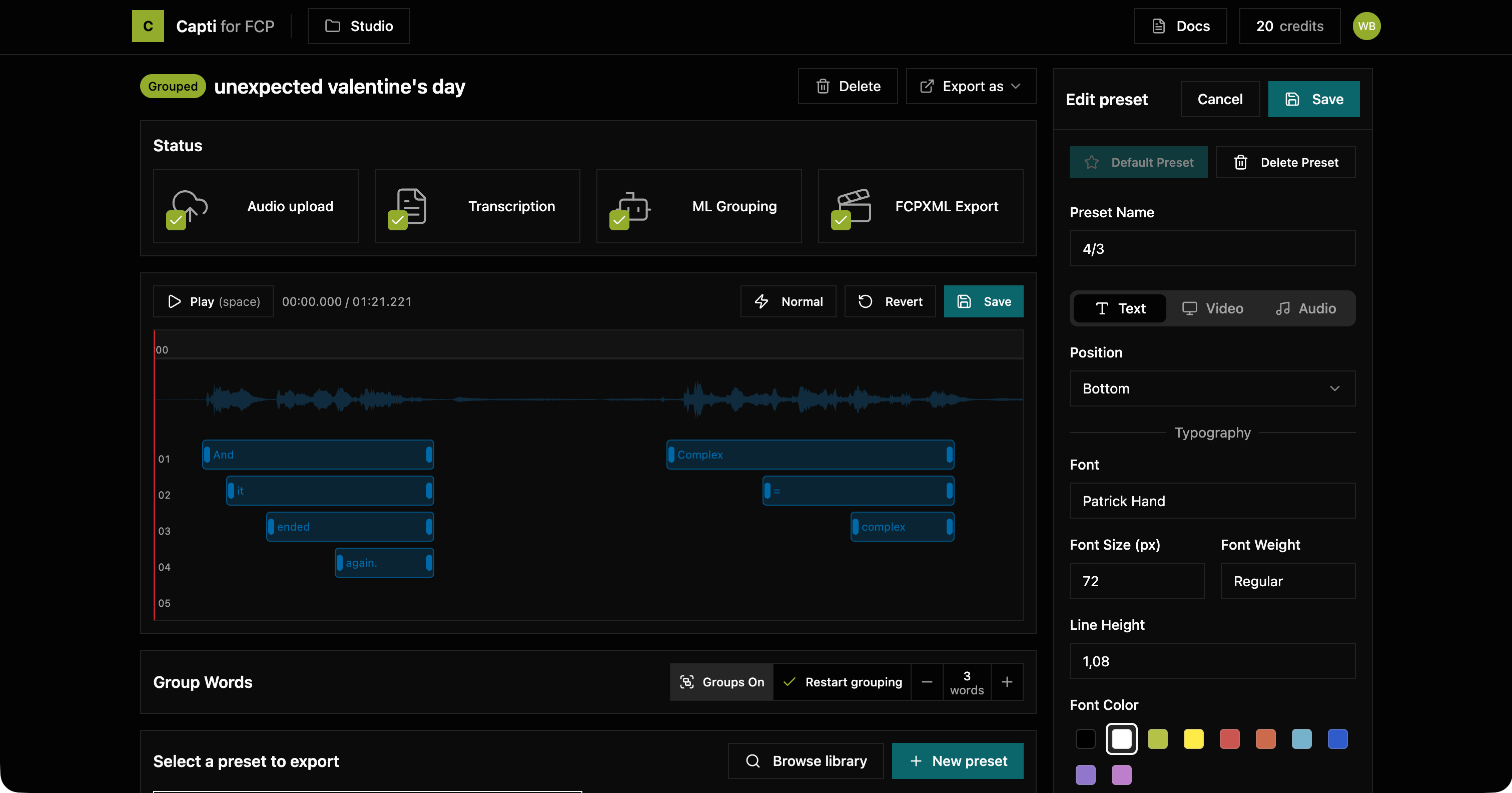
Capti is a captioning tool for Final Cut Pro that does what Apple won't: multilingual transcription, customizable titles (not boring subtitles), and intelligent word grouping that actually looks like what you see on YouTube or TikTok.
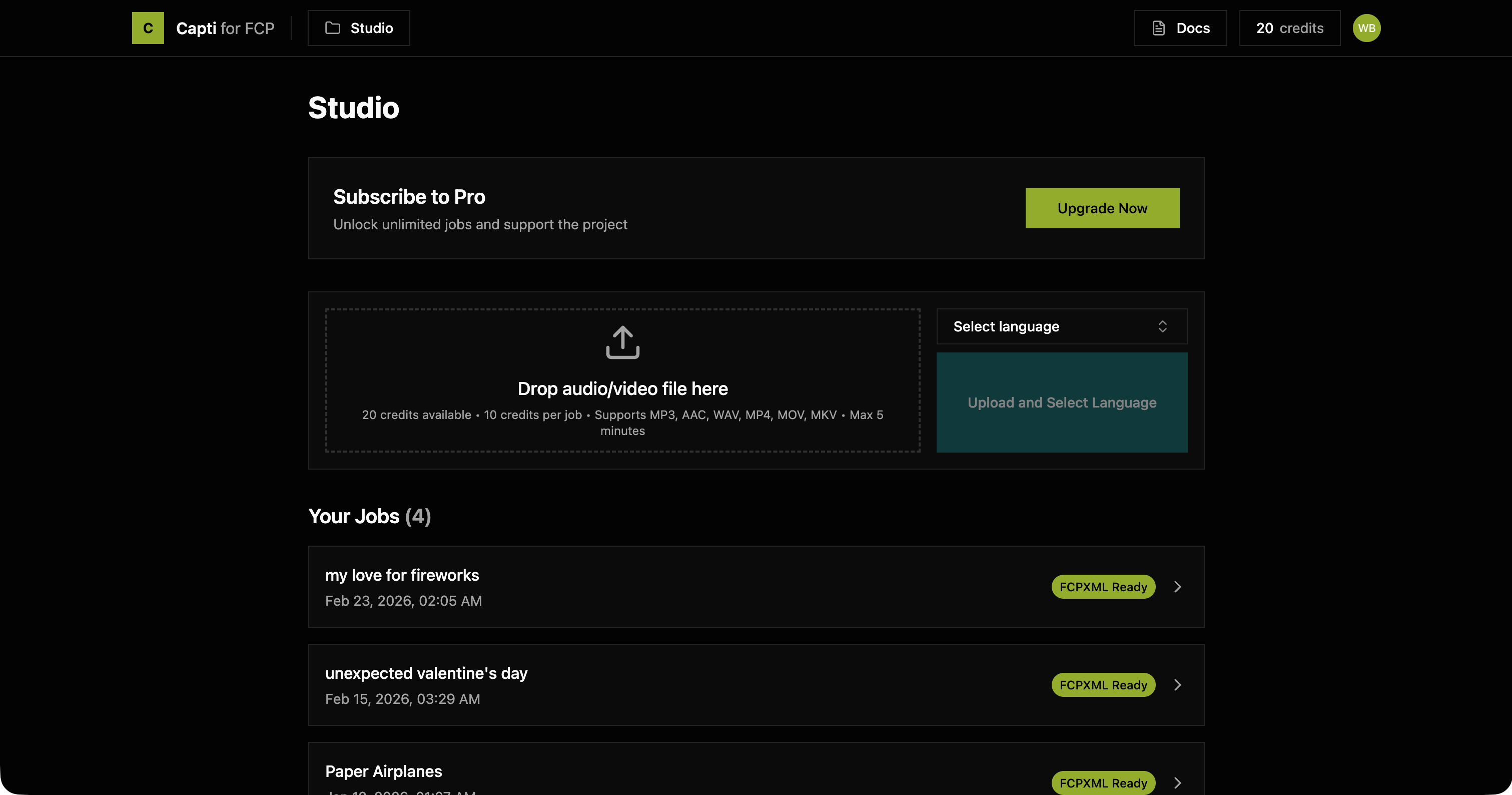
Upload a video, get styled captions back as FCPXML. Drag into your timeline. Done.
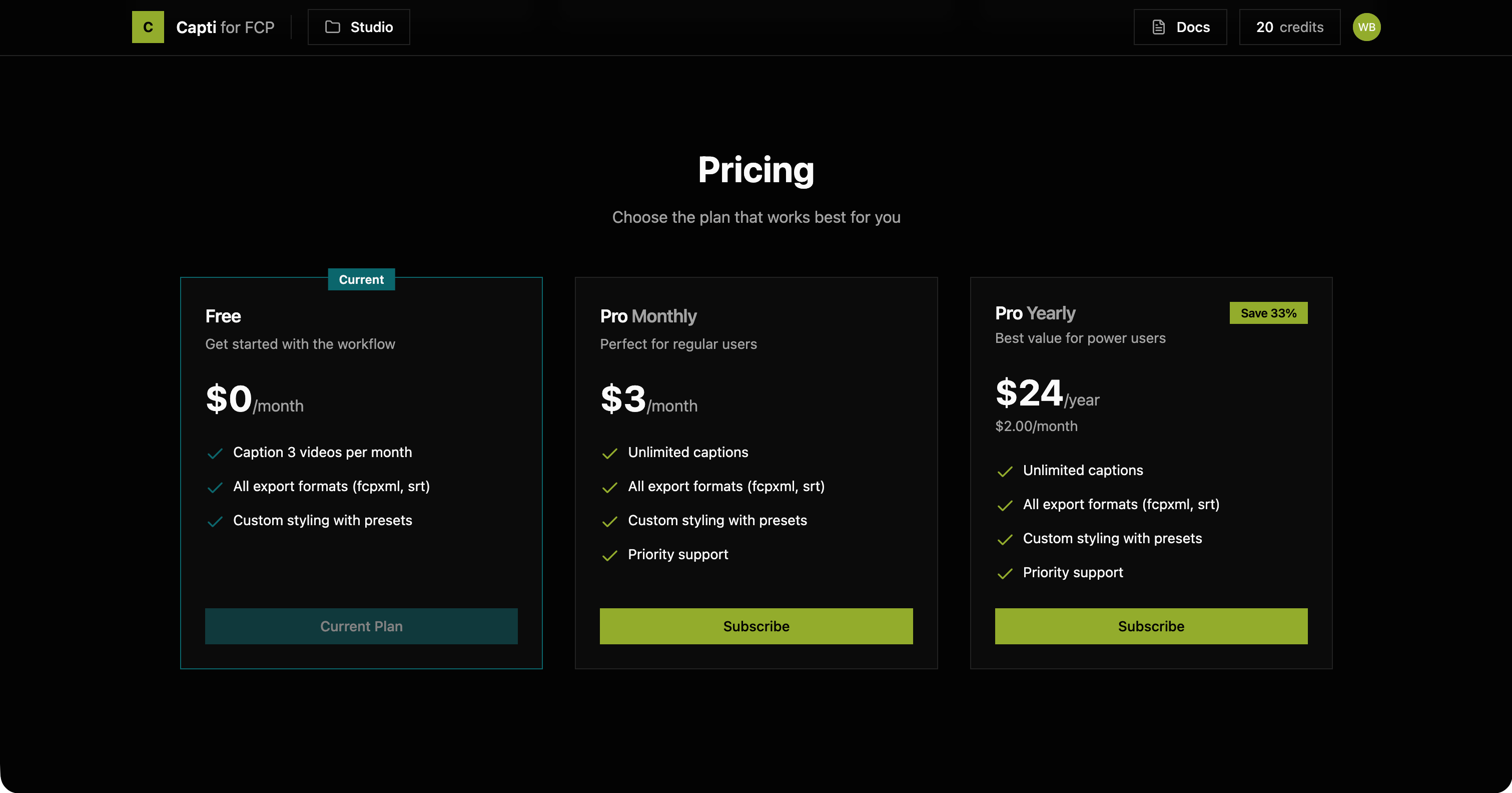
With a free tier and affordable subscription, it's the tool FCP editors didn't know they were missing.
The issue
Final Cut Pro added automatic transcription in a recent update, but it's English only and produces flat, uncustomizable captions: not the styled titles creators actually want.
So editors are stuck with bad options:
- The CapCut detour: edit in FCP, export, import into CapCut, generate captions there (paid), export again. A workflow that makes you question your life choices
- Legacy Mac apps: expensive subscriptions for software that looks like it was designed in 2014 and barely works
- Manual captioning: placing titles word by word. Nobody has time for this
Capti is the modern, affordable alternative: fast transcription, smart grouping, real customization, and a direct FCPXML export that drops right into your timeline.
Process
It started as a Python script. One evening, a proof of concept: upload a video, get a transcription, export it. The results were good enough to prove the idea had legs.
Key milestones from prototype to product:
- Local to cloud: moving from a script on my machine to a full web platform with auth, storage, and billing without losing in performance
- Transcription provider odyssey: tested many providers, landed on AssemblyAI after OpenAI's Whisper stopped getting updates and newer models dropped timestamp support
- Smart grouping: automatic word grouping with AI inference, switched from OpenAI to Groq for speed
- Web video timeline: built a fully interactive timeline in the browser for previewing and adjusting captions before export
- FCPXML export: the hard part. Ensuring timing accuracy, timeline superposition, and title attribute consistency so the output just works in Final Cut (this took a lot of .fcpxml reverse engineering due to the lack of documentation)
- Billing without the tax nightmare: implemented Polar.sh as Merchant of Record to avoid declaring VAT in every customer's country
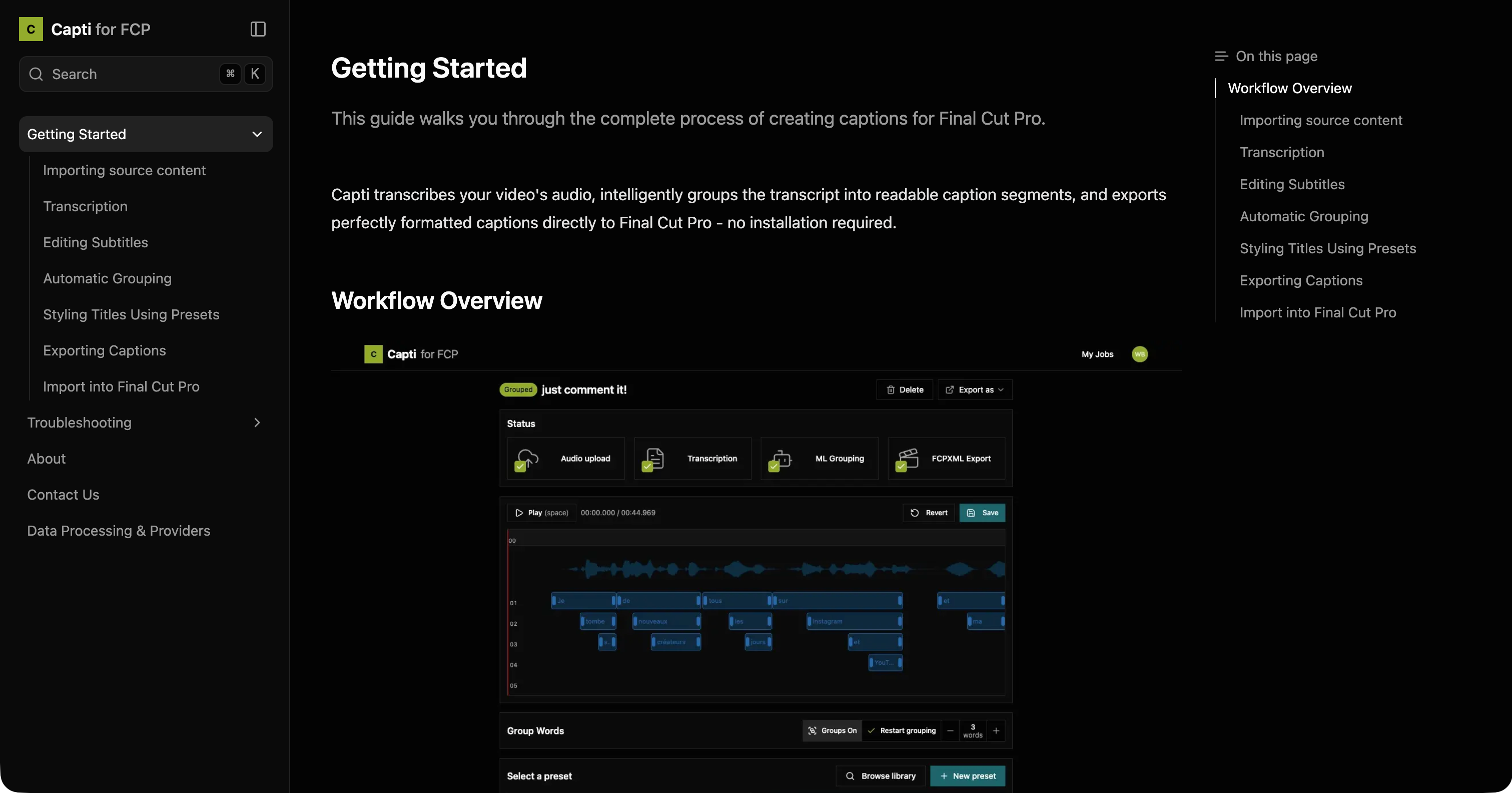
- Documentation: comprehensive getting started guide and troubleshooting
Built during evenings from August to December 2025.
The stack
Capti is built on a modern web stack optimized for real-time processing:
- Next.js: React framework with App Router for the platform UI
- Convex: Real-time backend: database, reactive queries, and mutations
- Clerk: Authentication provider
- Shadcn/ui + TailwindCSS: Design system with accessible components
- Polar.sh: Merchant of Record (Stripe wrapper handling global tax compliance)
- AssemblyAI: Multilingual AI transcription with word-level timestamps
- Loops.so: Transactional emails and newsletter delivery
- Vercel: Hosting and deployment
- Vercel Blob: Object storage for video uploads
- PostHog: Analytics and session replays
- Fumadocs: Auto-generated documentation from Markdown files
Communication and Marketing
FCP editors live on Reddit and Facebook groups. That's where they ask questions, share workflows, and complain about captioning.
Discovery happens through:
- f5bot alerts: a Reddit bot sends me an email whenever someone posts about captioning in FCP communities. A helpful, non-spammy comment is usually enough to spark interest
- Word of mouth: editors share tools that save them time
- Documentation as marketing: the getting started guide doubles as a landing page for search traffic
Once a user signs up, retention is everything. Gathering feedback early, fixing pain points fast, and making people feel heard is what keeps a small product alive.
Deliverables
- The Platform: fully functional SaaS with 30 users, transcription pipeline, timeline editor, and FCPXML export
- Documentation: comprehensive guides and troubleshooting powered by Fumadocs
- Brand identity: logo, visual language, and consistent design system
- Community presence: active Reddit engagement and user feedback loops